

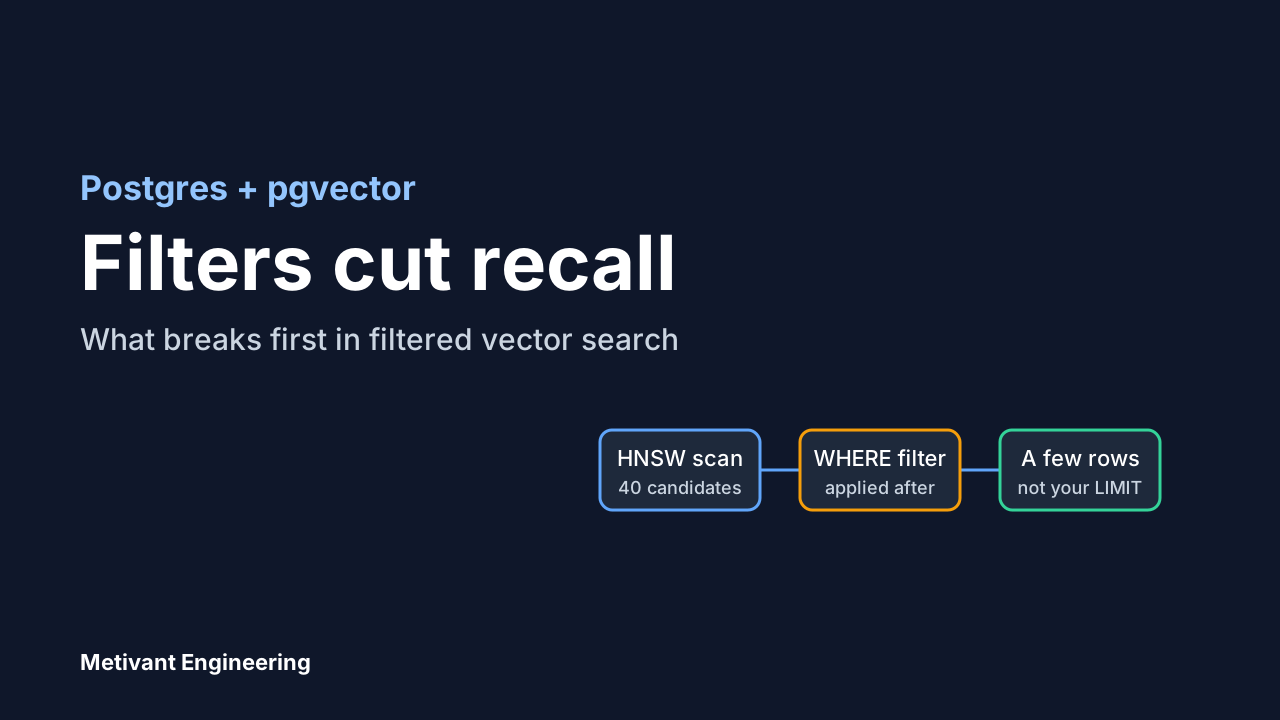
Most teams that add retrieval to an AI product already run Postgres. The first question is whether to put embeddings in it with pgvector or stand up a dedicated vector database. The question that decides whether pgvector works for you is narrower, and it rarely shows up in tutorials: what happens when your vector query also has a WHERE clause?
Almost every real retrieval query has one. Search this customer's documents. Search only published pages. Search the last 90 days. This is where a Postgres setup that looked fine in a demo starts returning too few results, and where the "should we switch databases" debate often starts for the wrong reason.
This article walks through that failure, the fixes that exist in pgvector itself, and a practical way to decide when a separate system is worth its cost. It is based on the pgvector documentation and changelog, plus one cloud vendor's write-up of the same feature, all cited at the end. We did not run our own benchmarks, so there are no performance numbers here that we measured ourselves.
The default behaviour that surprises people
pgvector supports two approximate index types, HNSW and IVFFlat. With an HNSW index, a query like this uses the index:
CREATE INDEX ON chunks USING hnsw (embedding vector_cosine_ops);

SELECT id, content
FROM chunks
WHERE tenant_id = 42
ORDER BY embedding <=> $1
LIMIT 10;
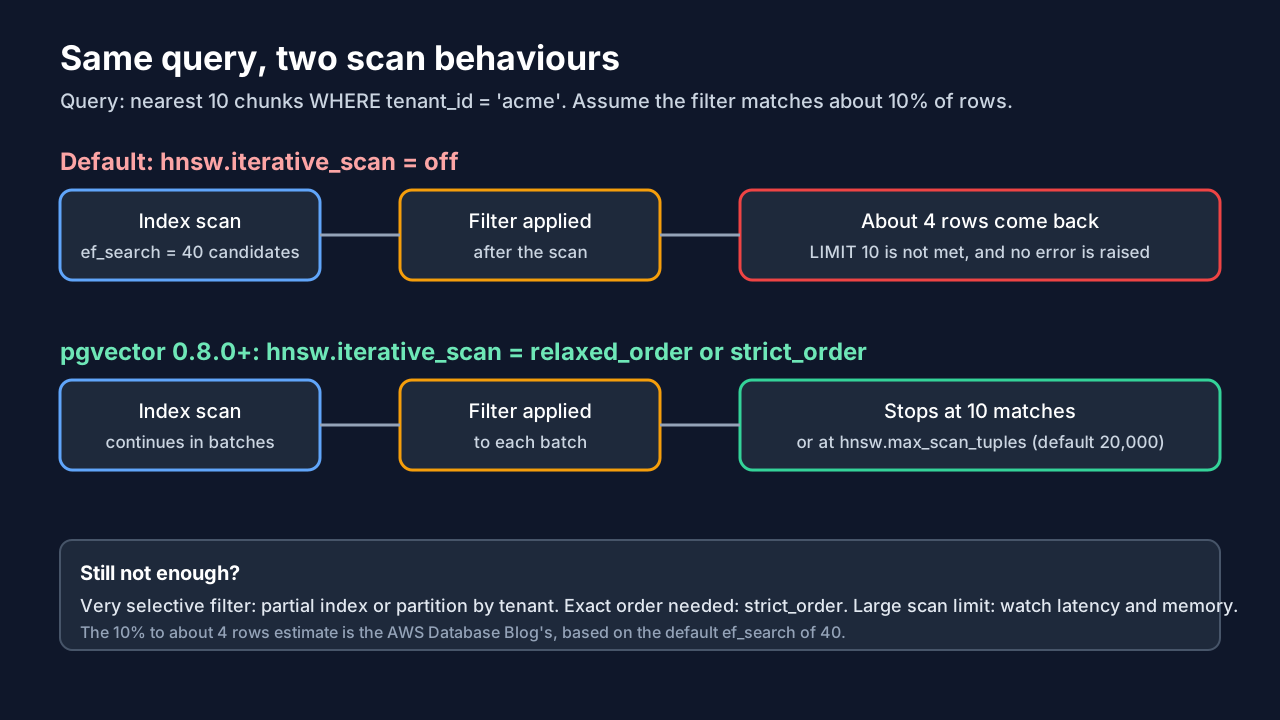
The index walks the graph and gathers a candidate list. The size of that list is hnsw.ef_search, which is 40 by default according to the pgvector README. Then Postgres applies your WHERE condition to those candidates. If only a small share of rows belong to tenant 42, most of the 40 candidates are discarded.
The AWS Database Blog works through the arithmetic: with the default setting, if only 10% of the data matches your filter, you can expect roughly four usable results. Ask for ten and you get about four, with no error and no warning. Ask for a tenant that is 1% of the data and you may get nothing.
That is the failure to watch for. It does not crash. It degrades answer quality, and in a RAG system it shows up as an assistant that "doesn't know" things that are in your database.
Fix one: iterative index scans
pgvector 0.8.0, released 30 October 2024 per the project changelog, added iterative index scans. Instead of stopping after one candidate list, the scan continues and applies the filter as it goes, until it has enough matches or reaches a limit.
SET hnsw.iterative_scan = relaxed_order;There are three settings. off is the default and gives the behaviour described above. strict_order keeps results in exact distance order. relaxed_order allows results to be slightly out of order in exchange for better recall, and the AWS write-up recommends it for most production cases. If you use relaxed order and need exact ordering in the final output, you can re-sort the small result set in an outer query, which is cheap at LIMIT 10.
Two limits keep a scan from running away. hnsw.max_scan_tuples defaults to 20,000 and stops the scan once that many tuples have been visited. hnsw.scan_mem_multiplier defaults to 1 and is a multiple of work_mem. If a filter is so selective that matches are rarer than one in a few thousand rows, the scan can still hit the cap and return fewer rows than you asked for. Iterative scans move the problem a long way, but they do not remove it.
IVFFlat has an equivalent, ivfflat.iterative_scan, which supports relaxed_order, with ivfflat.max_probes as the cap.
For evidence that this works, the AWS post ran a synthetic benchmark on Aurora PostgreSQL with 10 million products and 384-dimension embeddings. It reports recall on a category-filtered query rising from 10% to 100%, and on a complex filter from 1% to 100%, comparing 0.7.4 at the default ef_search with 0.8.0 using either iterative mode. Treat that as an illustration of the mechanism, not a prediction for your data. The post itself is a single synthetic test, and its latency table is labelled p99 while the methodology describes averages.
Fix two: make the filter cheaper or smaller
Iterative scans help when the filter is moderately selective. For the cases they handle badly, the pgvector README gives guidance on shaping the data itself.
Put an ordinary index on the filter column. Postgres can then choose between a plain index scan with an exact sort and the approximate vector index. The README notes that exact search works well when the condition matches a small percentage of rows, and in that case the planner can do the right thing without the approximate index at all.
For a filter with a few distinct values, use a partial index, for example one built WHERE (category_id = 123). For a filter with many distinct values, use partitioning, such as PARTITION BY LIST(category_id).
Multi-tenant products need particular care. The README recommends list partitioning or separate tables for tenant isolation, because with a single shared approximate index, one tenant's vectors can affect another tenant's recall. If you sell to customers who each expect their own data to be searched fully and privately, this is the design decision to make early. It is much harder to retrofit once you have a billion rows in one table.
Check the query is using the index at all
Before tuning, confirm the index is in play. The README gives a short list of reasons a query ignores it. The ORDER BY must be the distance operator itself, ascending, not an expression built from it. This uses the index:
ORDER BY embedding <=> $1 LIMIT 5;and this does not:
ORDER BY 1 - (embedding <=> $1) DESC LIMIT 5;The query also needs a LIMIT, and on a small table Postgres may reasonably prefer a sequential scan. Run EXPLAIN (ANALYZE, BUFFERS) to see what actually happened. Two more details from the README: rows with a NULL vector are not indexed, and neither are zero vectors under cosine distance. If you backfill embeddings in batches, expect some rows to be invisible to the index until they are populated.
Operating pgvector: keep the version current
The changelog is worth reading before you commit to HNSW in production, because several recent fixes concern vacuuming and index builds. As of the version of the changelog we read on 12 October 2026, 0.8.2 (25 February 2026) fixed a buffer overflow in parallel HNSW index builds, 0.8.3 (17 June 2026) fixed possible HNSW index corruption during vacuuming, and 0.8.4 (30 June 2026) fixed an error during HNSW vacuuming. The most recent release listed was 0.8.6, dated 29 July 2026.
The practical advice is to check which pgvector version your host actually runs. Managed Postgres services pick up new extension versions on their own schedule, so the version on your plan may lag the project's release. If you are on something older than 0.8.3, read those notes first.
The README also warns that vacuuming an HNSW index can take a while and suggests reindexing first, using REINDEX INDEX CONCURRENTLY and then VACUUM. Plan for that if your table sees heavy updates or deletes, such as documents being replaced when users re-upload them.
Finally, mind the dimension limits. According to the README, an index can cover vector columns up to 2,000 dimensions and halfvec up to 4,000. If your embedding model produces larger vectors, you either index a half-precision cast or reduce the dimensions. The README's half-precision example uses an index expression with a cast, and it requires queries to use the identical cast to match. Test that carefully on your own schema.
When a dedicated vector database is the better choice
None of the above is an argument that pgvector always wins. It is an argument that the common reasons given for leaving it, such as "filters don't work", are partly fixable in the database you already run. Here is how we would frame the decision. The criteria are our judgement from the documentation above, not measured thresholds.
Stay on Postgres when your vectors belong with relational data you already join to, when your corpus is of a size one well-provisioned database handles comfortably, when one team owns the whole stack, and when transactional consistency between an application record and its embedding matters. Having one backup and access-control story is a real benefit, particularly for regulated customers.
Look hard at a dedicated system when filtered recall stays poor after iterative scans, partial indexes and partitioning, when vector search load is so different from your transactional load that you want to scale and tune them separately, or when you need features Postgres does not provide natively. Run a test with your real filters and your real embeddings first. A comparison on someone else's dataset will not tell you which side of the line you are on.
A dedicated database also adds a second system to secure, back up, monitor and keep consistent with your source of truth. Teams often underestimate the sync problem: a document is deleted in Postgres, and for some period its vectors are still searchable in the other system.
A short checklist before you decide
- Write down your three most common filtered queries, with the share of rows each filter matches.
- Create a test table with realistic data volumes and run those queries with
hnsw.iterative_scanoff, then on. - Count the rows returned against the
LIMITyou asked for. Fewer rows than requested is the symptom. - Add a partial index or partition for the most selective filters, and re-run.
- Check
EXPLAIN (ANALYZE, BUFFERS)to confirm the index is used. - Confirm the pgvector version on your host and read the changelog since 0.8.0.
- Only after that, compare against a dedicated store using the same queries.
If this is part of a larger retrieval design, our RAG vs long context decision guide covers whether you need retrieval at all, and tracing AI agents with OpenTelemetry covers how to see retrieval failures once the system is live.
What this means for your project
Retrieval quality problems are usually data-shape and query-shape problems before they are database-brand problems. A dedicated vector store will not rescue a retrieval pipeline whose filters, chunking or access rules are wrong, and pgvector will not hold up if you never test it with your own filters.
If you are building an AI assistant or workflow on top of your own data and want a second pair of eyes on the retrieval design, our team does this as part of AI automation work, and we can review an existing design through consulting. If the retrieval layer is part of a larger product build, see custom software development. You can also book a call to talk through your case.
Sources
- pgvector README (github.com/pgvector/pgvector): HNSW and IVFFlat parameters and defaults, iterative scans, filtering guidance, partitioning advice, dimension limits, vacuuming.
- pgvector CHANGELOG (github.com/pgvector/pgvector): release dates and fixes for 0.8.0, 0.8.2, 0.8.3, 0.8.4 and 0.8.6.
- AWS Database Blog, "Supercharging vector search performance and relevance with pgvector 0.8.0 on Amazon Aurora PostgreSQL" (published 28 May 2025): overfiltering explanation and synthetic benchmark.