

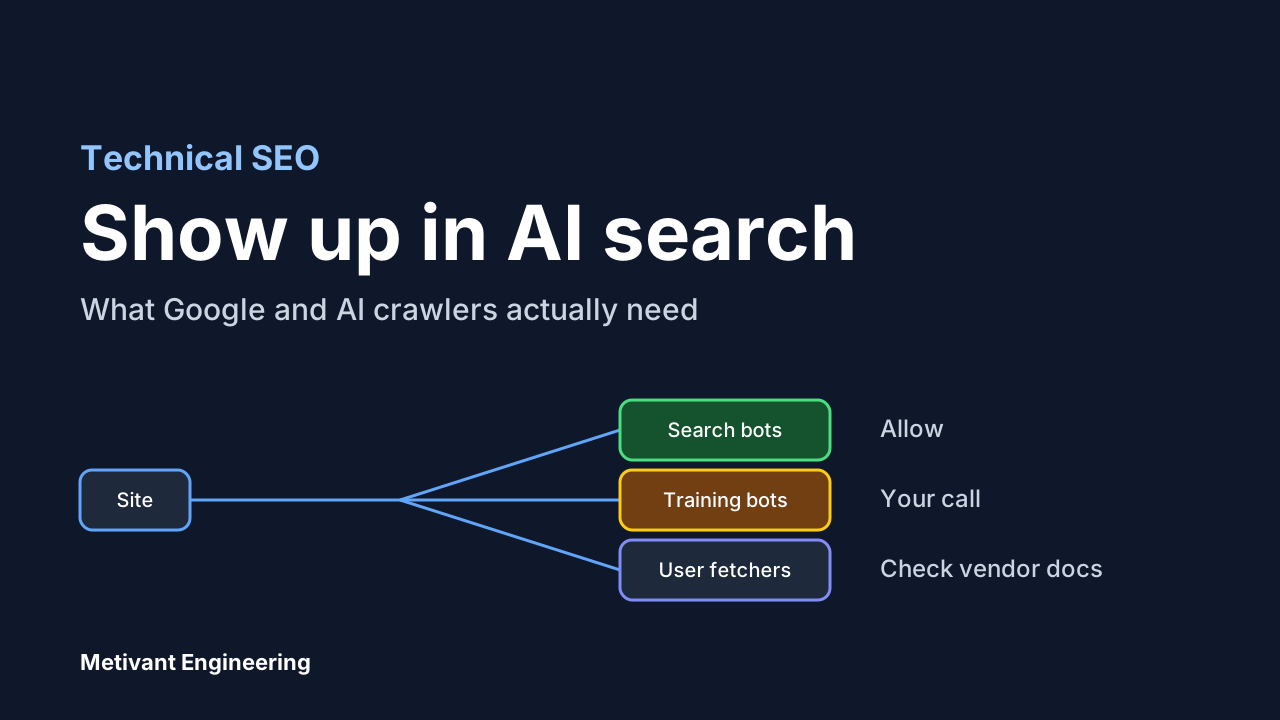
A lot of advice about "generative engine optimization" asks you to add new files, new markup and new tricks. Google's own documentation says the opposite for its AI features, and the details are worth reading before you spend engineering time on any of it.
This guide covers what the three biggest vendors publish about how their crawlers work, which robots.txt rules change your visibility in AI search, which only change model training, and a short check you can run on your own site.
What Google says you need
Google's page on AI features and your website states that to be shown as a supporting link in AI Overviews or AI Mode, a page must be indexed and eligible to be shown in Google Search with a snippet. It also says: "There are no additional requirements to appear in AI Overviews or AI Mode, nor other special optimizations necessary." No new machine-readable files, no AI text files, and no special schema.org markup.
Two other points from the same page matter for planning:
- Both features may use "query fan-out", issuing several related searches across subtopics, so a page can be surfaced for a sub-question the user never typed. Pages that answer one specific question well have more ways to be picked up than pages that skim a broad topic.
- Indexing and serving are not guaranteed, even when every requirement is met.
Traffic from these features is reported inside the normal Performance report in Search Console, under the Web search type. There is no separate AI report to wait for, and you cannot cleanly split the traffic out.
So for Google, the work is ordinary technical SEO: crawlable pages, indexable pages, useful text content, internal links, and structured data that matches what is visible on the page. If a page is not getting picked up, check indexing first, not "AI optimization".
Three kinds of bot, three different decisions
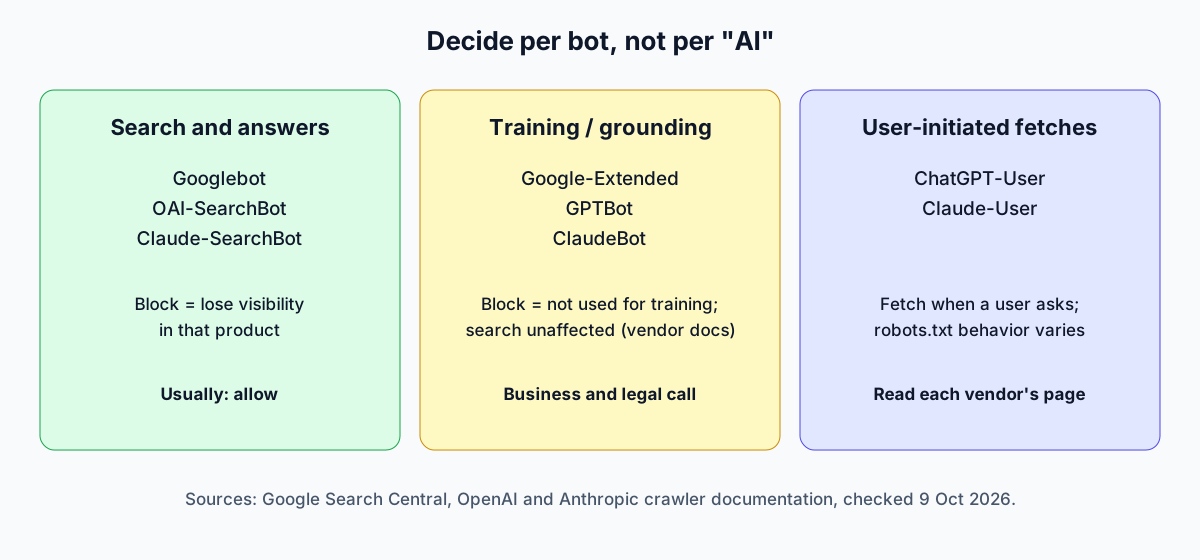
The confusion comes from treating "AI crawlers" as one group. The vendors split them by purpose, and each purpose has a different business consequence.
| Purpose | Examples | If you block it |
|---|---|---|
| Search and answer features | Googlebot, OAI-SearchBot, Claude-SearchBot | You lose visibility in that product |
| Model training and grounding opt-out | Google-Extended, GPTBot, ClaudeBot | Your content is not used for training; search visibility is unaffected per the vendors |
| User-initiated fetches | ChatGPT-User, Claude-User | Assistants may not fetch your page when a user asks about it |
What each vendor documents:
Google. Google-Extended is "a standalone product token" that lets publishers manage whether crawled content may be used for training future Gemini models and for grounding in Gemini Apps and Grounding with Google Search on Vertex AI. Google states it "does not impact a site's inclusion in Google Search nor is it used as a ranking signal in Google Search." It has no separate user-agent string; crawling uses Google's existing ones. Controlling AI Overviews and AI Mode snippets is done with the Search snippet controls (nosnippet, data-nosnippet, max-snippet, noindex), not with Google-Extended.
OpenAI. OAI-SearchBot is used to surface sites in ChatGPT's search features, and OpenAI recommends allowing it if you want to appear there. GPTBot is for crawling content that may be used in training, and disallowing it does not affect search appearance. ChatGPT-User handles user-initiated actions, is not used to decide search appearance, and because the visits are user-initiated, robots.txt rules may not apply. OpenAI says it can take about 24 hours after a robots.txt change for its systems to adjust.
Anthropic. ClaudeBot collects content that could contribute to training. Claude-User retrieves pages when a Claude user asks a question, and Anthropic notes that blocking it may reduce visibility in user-directed search. Claude-SearchBot is used to improve search result quality, and blocking it stops indexing for search. Anthropic says its bots honor robots.txt and recommends robots.txt over IP blocking.
The takeaway: a blanket Disallow for every AI-related user agent is a decision to disappear from AI answers, not a neutral privacy setting. Decide per bot.
A starting robots.txt
This example allows search-related bots, opts out of training use, and leaves everything else to your existing rules. It is a starting point for a marketing site, not a recommendation for every business. A publisher selling content, or a company with a legal reason to restrict reuse, may reasonably choose differently.
# Search and answer features: allow
User-agent: Googlebot
Allow: /

User-agent: OAI-SearchBot
Allow: /

User-agent: Claude-SearchBot
Allow: /

# Training and grounding opt-out: your call
User-agent: Google-Extended
Disallow: /

User-agent: GPTBot
Disallow: /

User-agent: ClaudeBot
Disallow: /

User-agent: *
Disallow: /api/
Sitemap: https://www.example.com/sitemap.xml
In a Next.js App Router project you can generate the same rules from app/robots.ts using the MetadataRoute.Robots type, with rules as an array of objects, each with a userAgent, allow and disallow. Keep the file in version control so a change in crawler policy is a reviewed commit, not someone editing a CDN setting.
One trap: a rule on the * group does not apply to a bot that has its own named group. If you add a named group for a bot, repeat any Disallow lines you still want for it.
Where AI crawlers get blocked by accident
Robots.txt is rarely the problem. Google's guidance specifically says to allow crawling in robots.txt and in any CDN or hosting layer, and the second part is where sites slip.
- Bot protection in front of the site. A WAF or CDN rule that challenges unknown user agents can block search crawlers that your robots.txt explicitly allows. Check your CDN's bot settings and its logs.
- Content that only exists after JavaScript runs. Keep the important text in the HTML your server returns. If a page needs client-side rendering to show its main content, you are relying on every crawler to render it.
- Snippet controls left over from another project. A global
nosnippetor very smallmax-snippetmakes pages ineligible to be shown with a snippet, which is the one eligibility requirement Google names. - Thin pages that restate the top results. No crawler setting fixes content that adds nothing.
A 20-minute check you can run today
- Fetch
/robots.txtand list every user-agent group. Confirm each group is a deliberate choice. - Run your key pages through the URL Inspection tool in Search Console. Confirm they are indexed and not blocked by
noindexor a snippet restriction. - Search your server or CDN logs for Googlebot, OAI-SearchBot and Claude-SearchBot over the past week. Seeing 200 responses is good; seeing 403 or challenge pages means a bot rule is blocking them.
- View source on three important pages. The main text and headings should be there without running JavaScript.
- Check that structured data (for example Article or Organization) matches visible content. Google asks for consistency, and it does not require any specific markup for AI features.
- Write down the decision on training opt-out and who owns it. It is a business and legal call, and robots.txt is only how you express it.
What we would not do
We would not add an "llms.txt" file and expect results. Google states it does not require AI text files for its features. We have not found a vendor document that commits to using such a file for ranking or retrieval, so treat it as optional at best and do not spend a sprint on it.
We would also not report "AI search traffic" as a precise number. Google folds AI feature traffic into the normal Web report, and referrals from assistants vary in how they are labeled. Track branded search, direct visits and conversions alongside referral data, and be honest in reports about what cannot be separated.
Frequently asked questions
Do I need special schema markup for AI Overviews? No. Google says there is no special schema.org structured data to add. Use structured data that accurately describes the visible page, the same as for classic search.
Does blocking Google-Extended remove me from Google Search? No. Google says it does not affect inclusion in Google Search and is not a ranking signal.
Does blocking GPTBot stop ChatGPT from citing me? According to OpenAI, no. GPTBot relates to training, while OAI-SearchBot governs search appearance. Each setting is independent.
Will robots.txt stop an assistant from reading a page a user pastes or asks about? Not necessarily. OpenAI notes robots.txt rules may not apply to user-initiated ChatGPT-User visits, and Anthropic says blocking Claude-User may reduce visibility for user-directed requests, so the behavior differs by vendor. Read each vendor's current page.
How quickly do changes take effect? OpenAI cites about 24 hours for search. Google says recrawling can take anywhere from several days to several months.
Where to go from here
If your site is built on Next.js and you are not sure whether crawlers can reach the content that matters, a technical review of rendering, indexing and bot rules is usually quick to do and often turns up one or two real blockers. Our consulting team can run that review, and if you are building search or answer features into your own product, see our AI automation work. You can also book a call.